Part of a yearly series: 2024 · 2025 · 2026
I moved this year, and my homelab went from two small PCs and a hacked router to four machines on all-UniFi networking. Three things are worth writing down: I ran Ethernet through the apartment's TV cable, one AdGuard update took down DNS so no device in the house could load a website, and I found out my family's photos existed on exactly one machine.
I invested a good amount of money, and overall I'm pretty content. I'm glad I bought most of it before prices of everything got really expensive.
Four machines
- spark: Dell OptiPlex 7060, i5-8500T, 16GB, Debian 12. Most of my containers, and AdGuard.
- GPU server: Ryzen 5 3600, RTX 3060 12GB, 32GB, 512GB SSD, Proxmox. A local model, and the occasional experiment.
- NAS: Minisforum N5, Ryzen 7 255, TrueNAS. Photos, documents and backups.
- edge: a Raspberry Pi 4 running the e-ink picture frame.
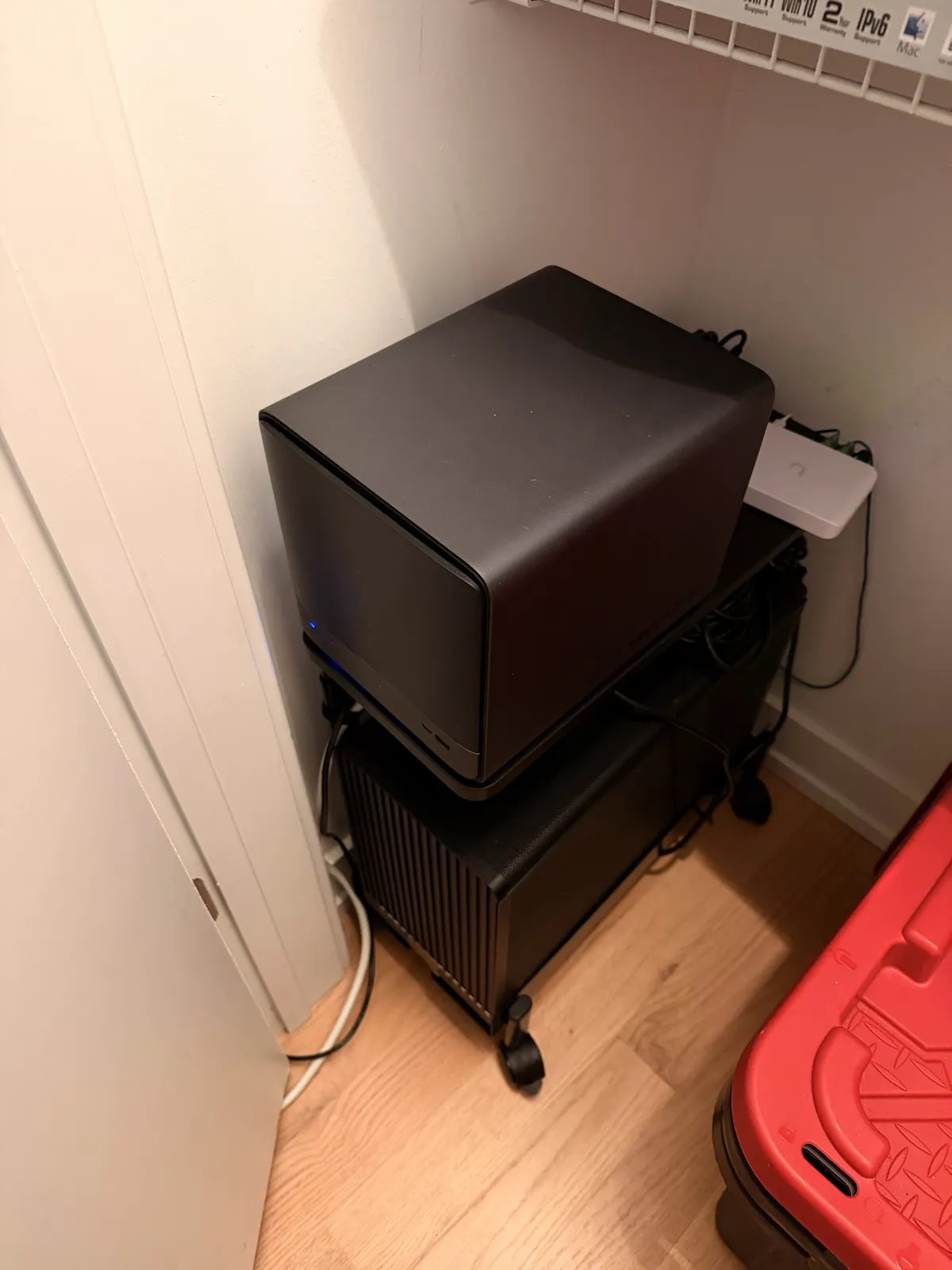 The N5 NAS on top of the GPU server, in a closet, with a UniFi Flex Mini 2.5G switch behind them.
I bought the GPU server first, because GPU prices came down after being pretty high at the start of the year. Most of the time it sits under 50 W. The N5 was on sale at Micro Center for about $500. It was discontinued pretty quickly over issues with its SATA connector; mine has been fine.
What I didn't see coming was heat. With the GPU server and the NAS in one room, it was ridiculous. Hard drives spinning 24/7 put out a lot of heat, even with spin-down.
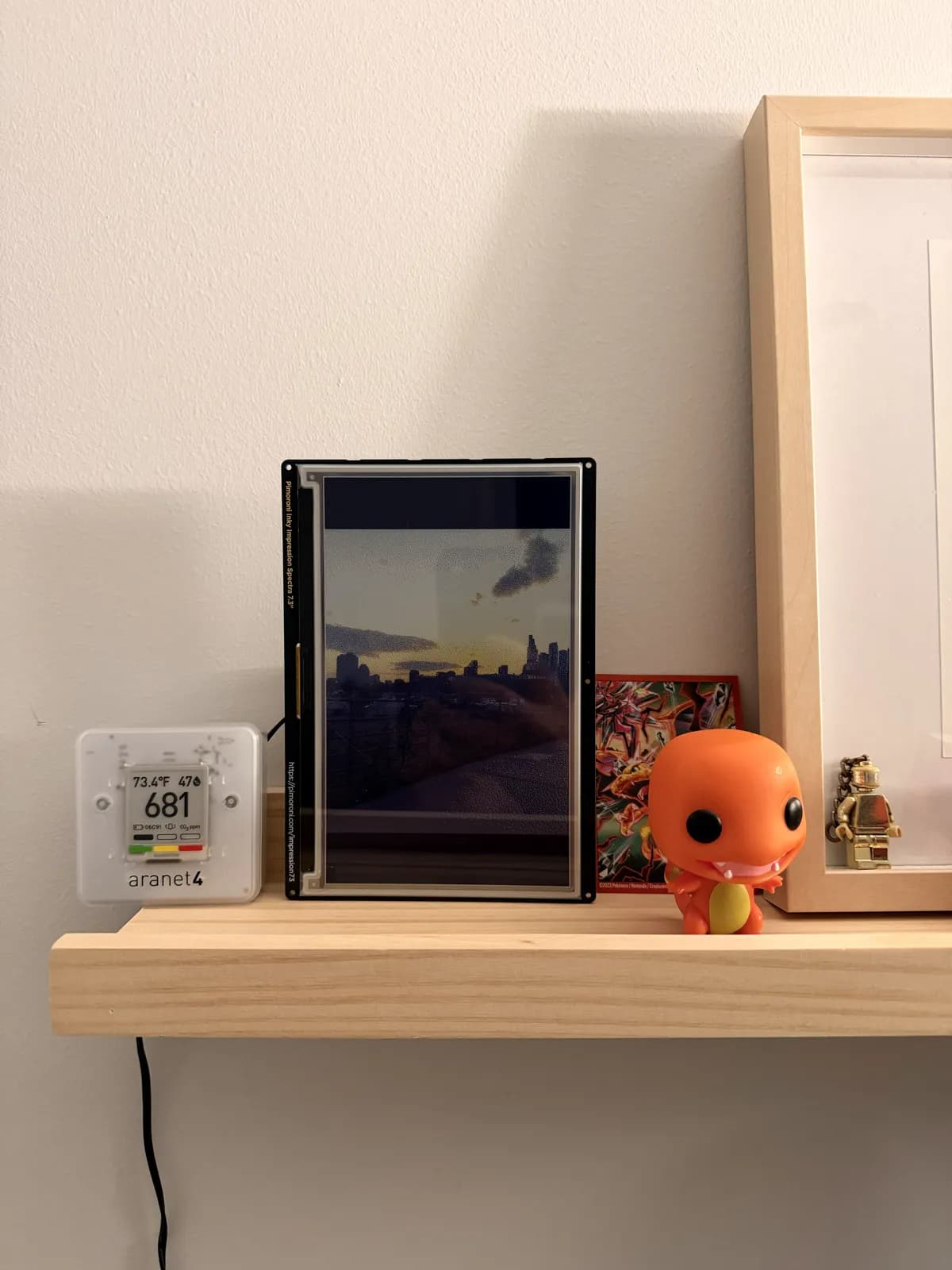 The e-ink frame, a Pimoroni Inky Impression 7.3", next to an Aranet4 reading 73.4°F.
The 3060 replaced a mistake: an RTX 2060 I'd bought for about $180 for local LLMs and image generation. It wasn't as good as I thought, it ran hot, and it's been sitting in a box since. I could probably get $100–150 for it.
Ethernet over the TV cable
MoCA runs Ethernet over coax, the cable a TV or cable modem uses, so the walls you already have can carry your network. I bought the goCoax 2.5 Gbps set everyone recommends, and it took about two weeks to get everything in the right place.
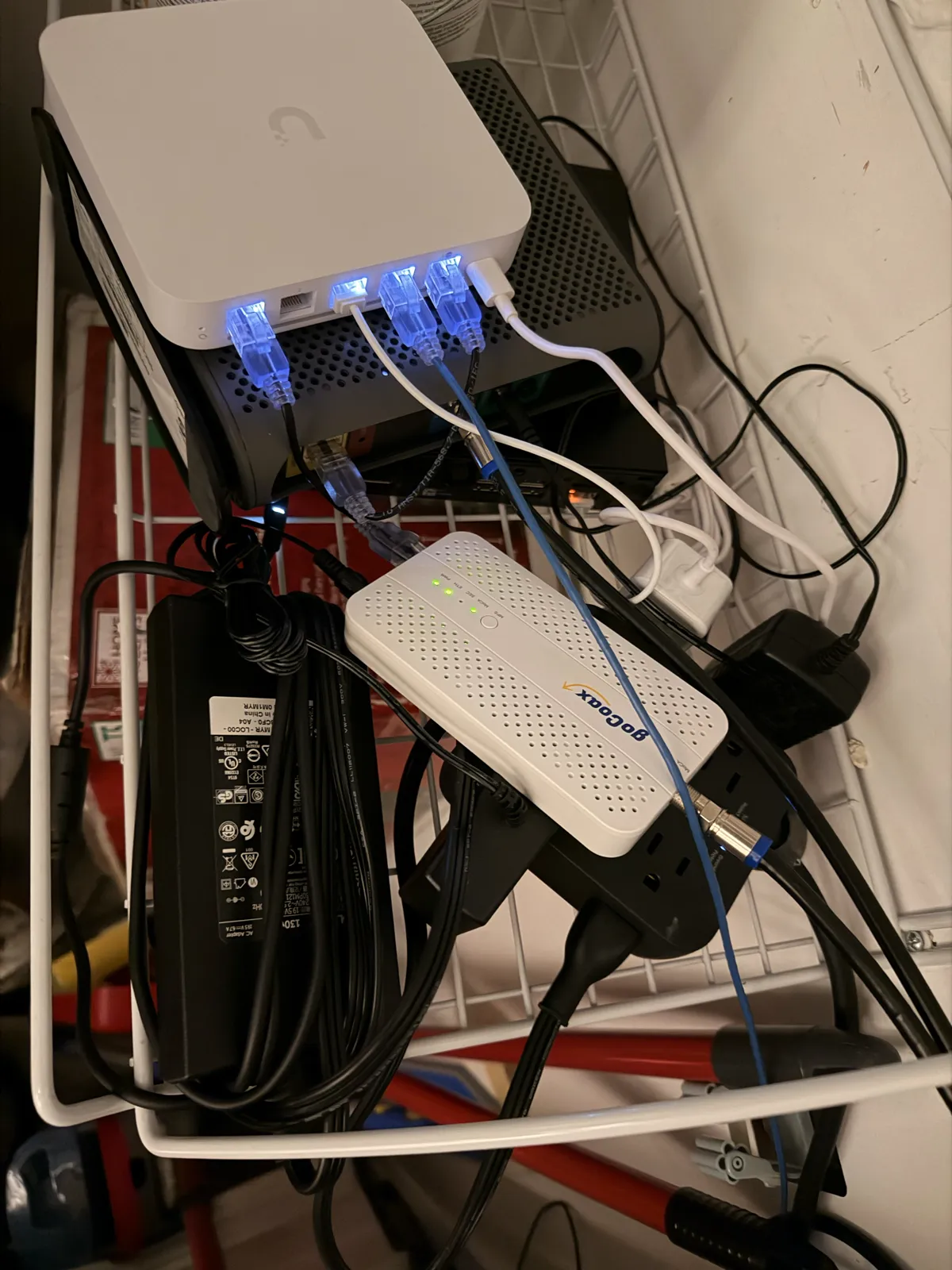 The Comcast modem under the UniFi gateway, and the goCoax adapter that puts the network on the coax.
The adapters do link at 2.5 Gbps, but MoCA is half duplex: it sends one way, waits for that to finish, and then sends the other way. In practice it tops out around 1 Gbps. I was still surprised by how fast it is.
The one rule: don't run two different kinds of traffic down the same line. If a coax run already carries your cable modem connection, don't also push your own network back up it. Think of a pipe. You don't want to be pushing two things through the same place.
Network
The Comcast modem goes into a UniFi Gateway Max. My old apartment was about 600 ft², and one access point was enough. This one needs two: an In-Wall Pro and a U7 Lite. Wired, nearly everything is 2.5 gigabit, mostly because the UniFi Flex Mini 2.5G is a good deal. I don't think there's a cheaper UniFi switch.
Internet is Xfinity's 1 gig plan, because they keep lowering the price. Their reliability is bad: I have a problem about once a week. I had Astound before and never had issues.
The day DNS took everything down
One AdGuard update meant no device in the house could load a website. Every device asks AdGuard where websites live, and it blocks ads by answering "nowhere". I'd pinned most of my containers to fixed versions, but left AdGuard on latest because it had never broken.
Then it auto-updated and broke. I was trying to work, I only had one AdGuard instance, and with it down, nothing could look up a website. I had to roll back DNS and a few other services that had updated themselves at a really bad time.
The fix landed on September 29: every image pinned to a version tag, and a second AdGuard on the GPU server, so one can go down without taking the internet with it. In 2024 I had already written "pin a container to a specific version". The issue really is always DNS.
Backups, honestly
I self-host photos so a locked account can't take them. If you use Google or Apple login for everything and they lock you out of your account, what do you do? What if someone takes over your phone number? It hasn't happened to me, but I'd like to keep pictures of my family, good memories and important documents somewhere I control.
Immich turned out to be the most important thing I run. I didn't realize how many photos from events I only had on one device.
My own photos are also in iCloud. My family's photos aren't: they're only on my NAS, so if my apartment flooded tomorrow, they'd be gone. My family knows their photos are there, and they couldn't get them back without me. An off-site backup to Backblaze is first on my list.
What stuck
Most things I try don't last. Either the interface is unintuitive and I give up, or it's genuinely useful and I keep it. Most of what I run, I've run for 3+ years. Upgrades are rarely a problem; Immich just means reading their release notes every six months.
The best addition in the last year and a half is Pocket ID, one login for every service. Before it, each service had its own password, and because I didn't want to use my real email everywhere and some wanted a username instead, every login was different.
With agentic AI I automated much more of the homelab. 191 of the 275 commits in its repo are from 2026, and every decision gets written down as a short record of what I chose and why (39 so far).
What's next
Last year I was excited about Thunderbolt and its 20 to 40 Gbps between machines. There are very few times you'd actually cap it out. Most of the time you're better off uploading over your slower connection and letting it run in the background. I'm not a video editor, so I rarely need to move big files.
Next year: off-site backups, and splitting spark into a network server (AdGuard, UniFi) and an application server. Otherwise I invested enough this year that I don't expect big changes for two or three years.
The rest is cleanup: ad hoc scripts everywhere and a bunch of unfinished projects I'd like to publish. Not because they're impressive. A lot of them are really simple. With AI, a lot of people want to build very complex things, but sometimes you just don't need it. You could live with a simpler solution, and that's enough.
Eight years in
I started with a Raspberry Pi around 2018 or 2019. Before, a homelab was about having services and technology. Now it's about trade-offs and thinking about your situation. The skills carry straight into my job: knowing when to give up on a rabbit hole, and slowing down to read what something is telling you. Most errors tell you exactly what's wrong in terminology you've never heard. Sometimes you just need to slow down and see the trees for what they are.