I set up personal health dashboards to make better decisions about my screen time and overall health.
Update: 2024-02-10
I have 2 small libraries to extract health and screen time data. health-data screen-tyme
Screen time is a complicated mess because of how Apple locks down parts of the operating system with SIP. https://gist.github.com/0xdevalias/38cfc92278f85ae89a46f0c156208fd5
TLDR: This presentation sums up my findings: https://www.elcomsoft.com/presentations/20200129_health_and_activity_evidence_en.pdf
Accessing screen time
The suggested way to access screen time data is using a Swift library, but I don't want to learn Swift and Xcode to get access to my screen time.
After a bit of research, I was able to find where the screen time data is stored on Apple devices. There is a SQLite database called KnowledgeC.db that stores various types of data, including screen time information.
~/Library/Application Support/Knowledge/knowledgeC.dbI did some data analysis with Python and Pandas to find out what tables I want to export to Postgres. There are 2 reasons for exporting the data:
- Apple only stores screen time data for the past 2 weeks; I want to view long-term trends.
- The whole database is comprised of 20+ tables which have data updated every second for things like iCloud syncing which are not relevant to my use case.
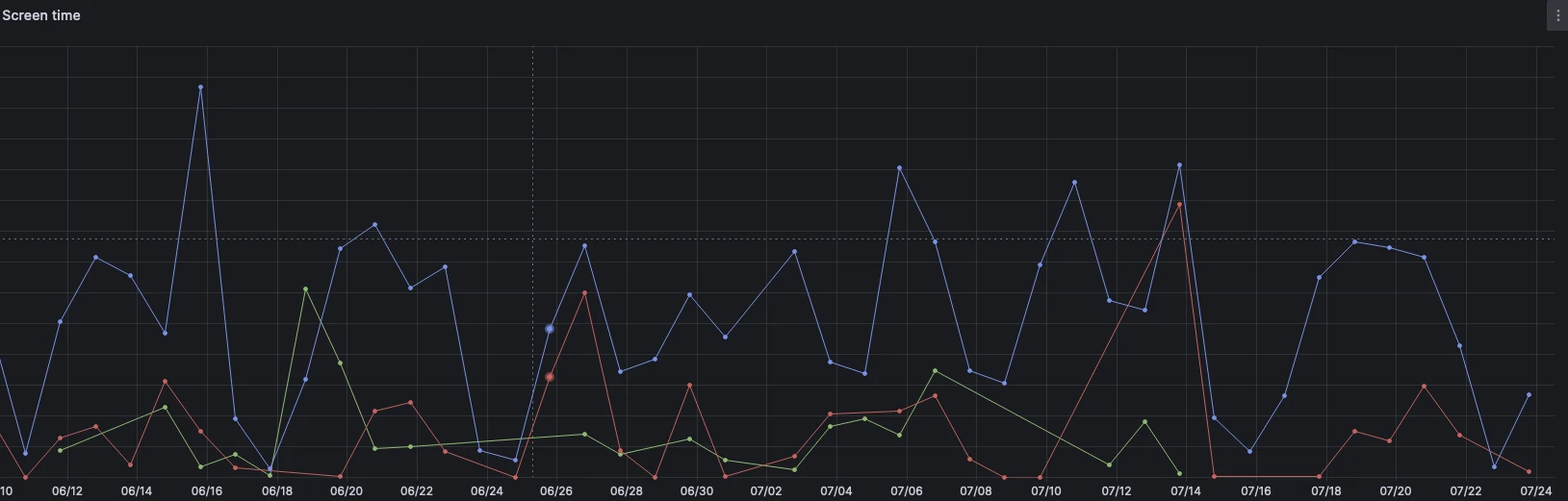
Here is a picture of my Grafana dashboard that shows me how much time I spend on VS Code vs. YouTube, etc.
Accessing health data
The screen time data was easily accessible after disabling SIP. However, health data was difficult to understand as there is no official documentation on how to access the data.
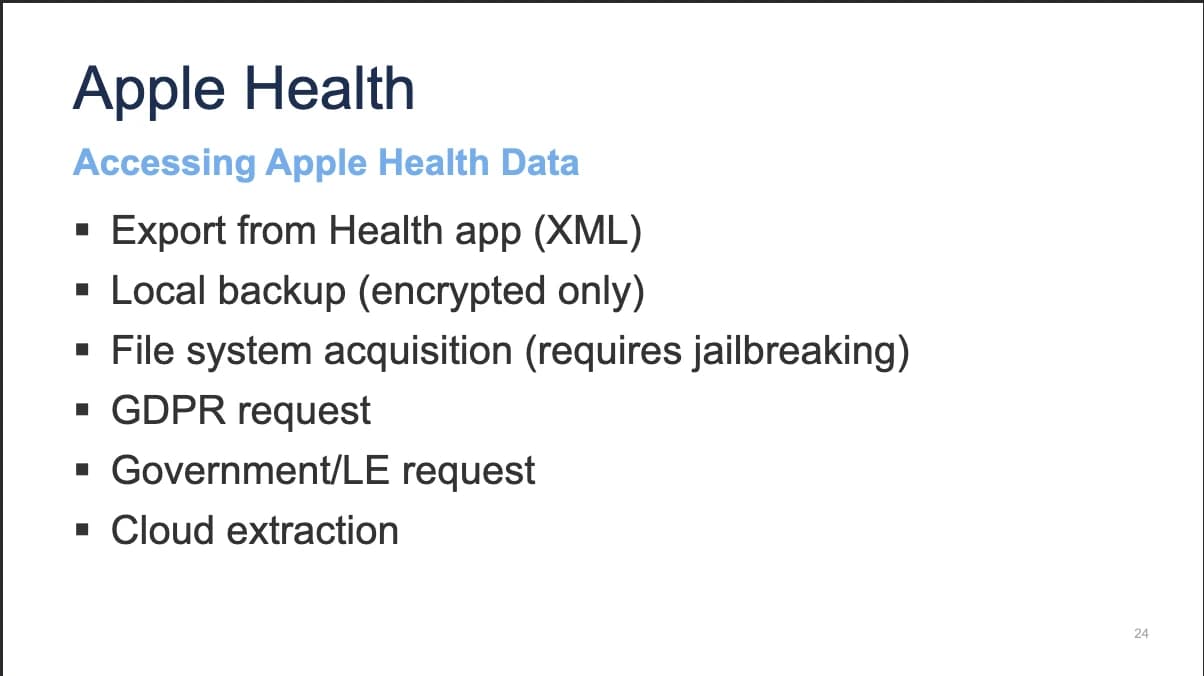
The only suggested way to get health data from iOS is through the Health app, which requires manual export and provides data in XML format that is not easily parsed. There are a bunch of third-party applications, but they all have poor ratings.
The only other way to get the health data is by manually backing up the phone and extracting the data from the backup. The backup is also encrypted, so you need to know the password to decrypt it.
To decrypt the backup, you can use this great tool: https://github.com/jsharkey13/iphone_backup_decrypt
For a longer post on this topic, check out: How to Decrypt an Encrypted Apple iTunes iPhone Backup
Below is some example code that I used to decrypt the backup:
from iphone_backup_decrypt import EncryptedBackup, RelativePath, RelativePathsLike
from dotenv import load_dotenv, find_dotenv
import os

load_dotenv(find_dotenv())

passphrase = os.getenv("APPLE_PASSPHRASE")
backup_path = os.getenv("APPLE_BACKUP")

backup = EncryptedBackup(backup_directory=backup_path, passphrase=passphrase)

backup.extract_file(relative_path=RelativePath.HEALTH_SECURE,
                    output_filename="./output/health_secure.sqlite")

backup.extract_file(relative_path=RelativePath.HEALTH,
                    output_filename="./output/health.sqlite")
The blog posts mention some tables, but after doing some analysis it looks like the table schema has changed in the latest iOS version. So sadly, that is the end of my research for now as I spent a couple of days trying to do something that the Apple Health app already does.
Conclusion
After all this research and little output, I felt a bit discouraged and like these guys with no replies: Best Way to Export Health/Workout Data and this guy.
For now, the Health app and a small screen time data pipeline using Dagster and Grafana will do!
Resources
- Spelunking macOS Screen Time App Usage with R
- Using the KnowledgeCDB Database on macOS and iOS to Determine Precise User and Application Usage
- Reverse Engineering the iOS Backup
- Investigating Apple watch data
stop reading